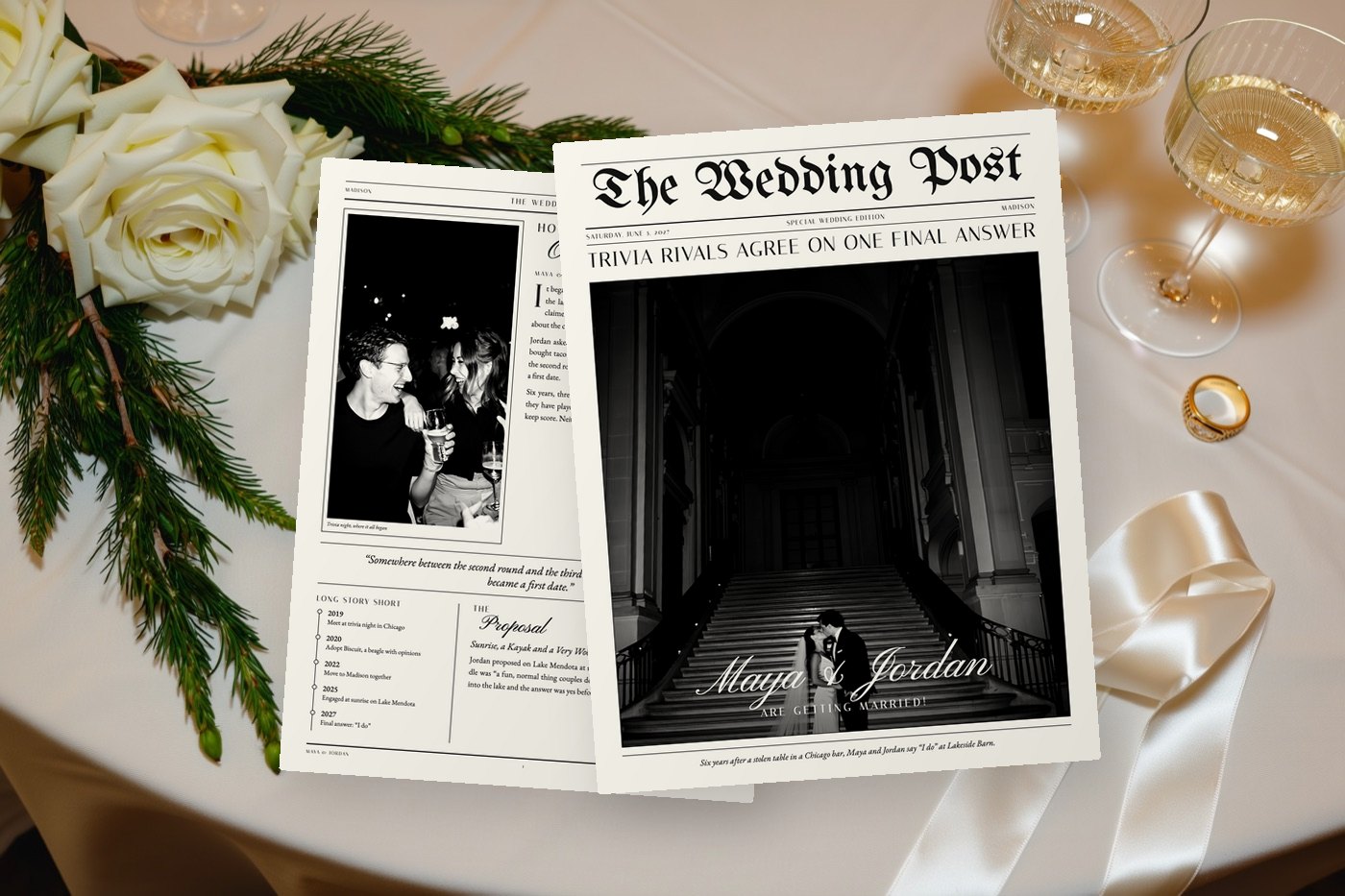
The front page
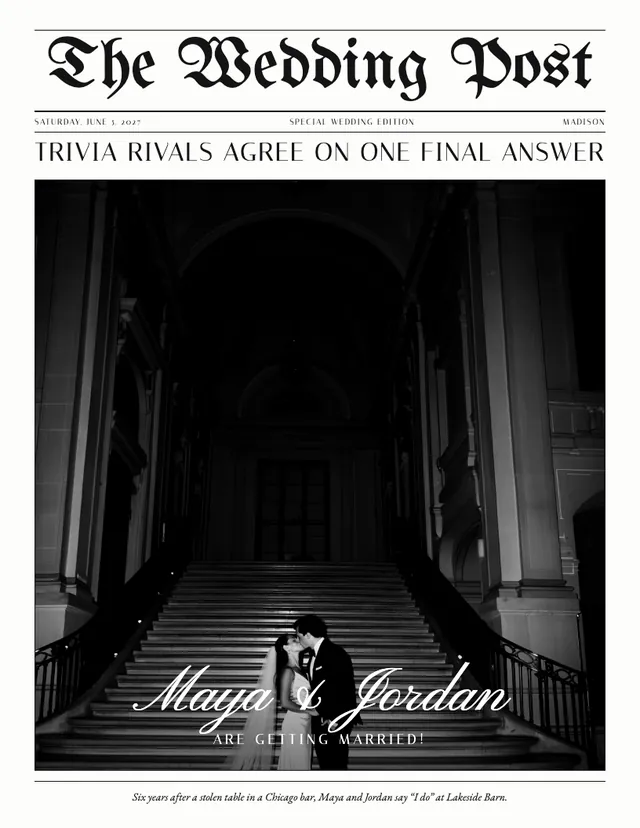
The front page has one job: make someone pick the paper up. This example uses The Wedding Post. A blackletter masthead sits over a strip with the date and "Special wedding edition", then a one-line headline, "Trivia rivals agree on one final answer". Below that, one big photo with the couple's names written across it in white script, and a single italic line at the foot telling the story in a sentence.
Why it works: guests get names, date and a hint of a story before they sit down, and the headline is a running joke from the love story inside.
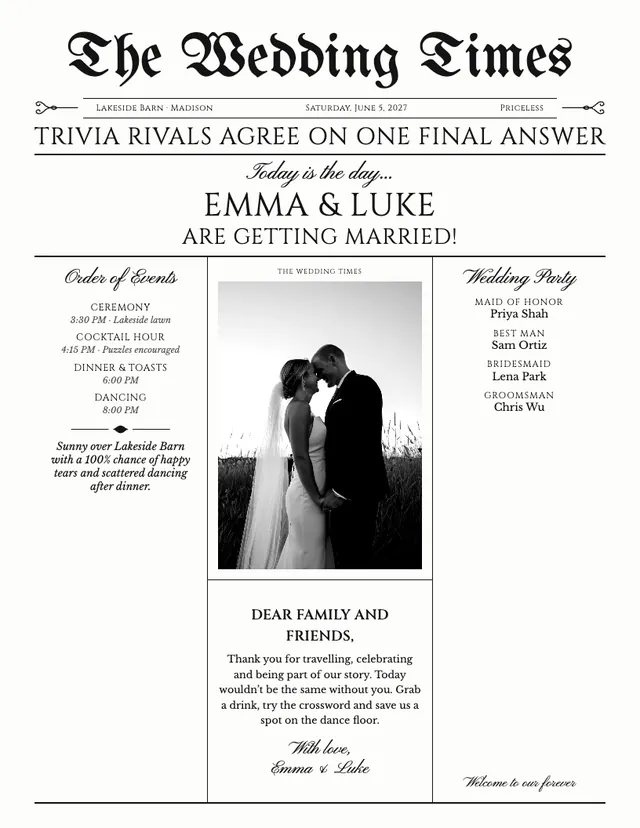
For a front page that does practical work, a Programme front puts the order of events, a letter to guests and the wedding party around a smaller photo, plus a forecast written for the venue: "Sunny over Lakeside Barn with a 100% chance of happy tears and scattered dancing after dinner."
Our Story
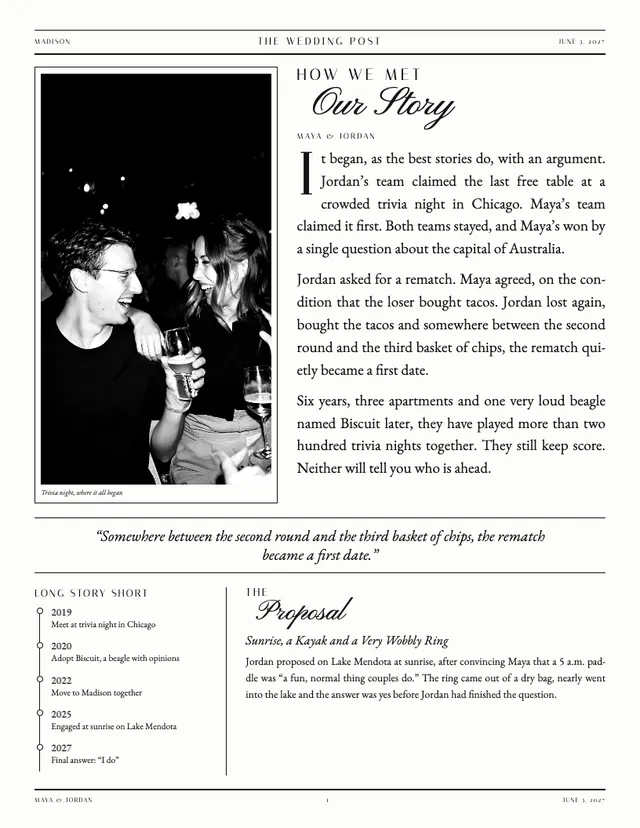
This is the page people read standing up at the bar. A tall candid photo, captioned "Trivia night, where it all began", sits beside three short paragraphs: two rival trivia teams, one table, a rematch, a bet over tacos and a first date nobody planned. A pull quote runs across the middle for skimmers. Underneath, a "Long story short" timeline goes from 2019 to 2027, and "The Proposal" gets its own headline: "Sunrise, a Kayak and a Very Wobbly Ring".
Why it works: most guests only know half the story. Her college friends have never heard his side, and his aunt has no idea who won the first quiz. The quote and timeline serve the people who won't read paragraphs. For more on the writing, see our wedding love story examples.
The Big Day
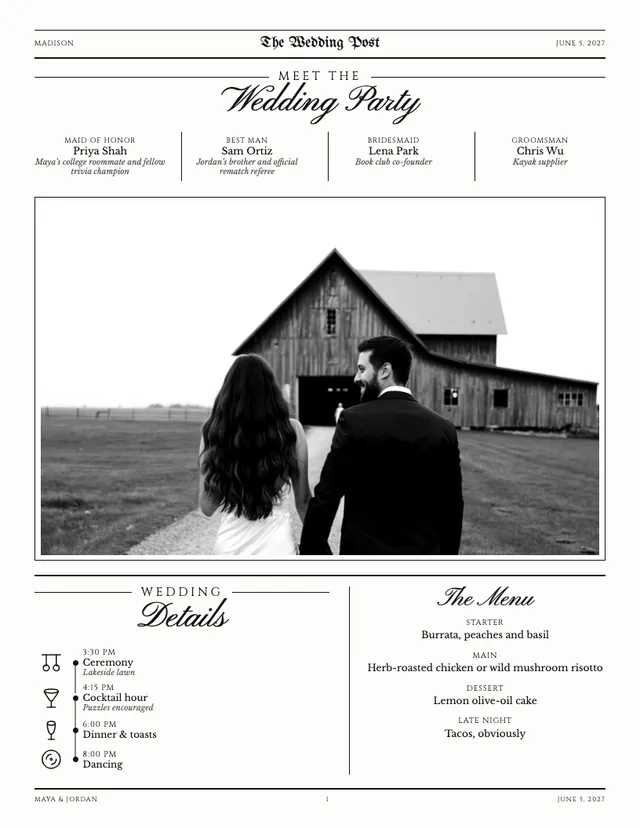
"Meet the Wedding Party" lists four people with their roles and a one-line note each: the maid of honor is a college roommate and fellow trivia champion, the best man is the "official rematch referee", and one groomsman is simply credited as "Kayak supplier". A wide photo of the couple walking toward the barn fills the middle. At the bottom, the wedding details run down a timeline with small icons (ceremony at 3:30, cocktail hour at 4:15 with "puzzles encouraged", dinner and toasts at 6:00, dancing at 8:00) next to the menu, which ends with a late-night course of "Tacos, obviously".
Why it works: it answers two questions every guest asks, "who is that standing next to the groom?" and "when do we eat?", and the one-line notes give people an easy way to start a conversation with a stranger at their table.
Fun & Facts
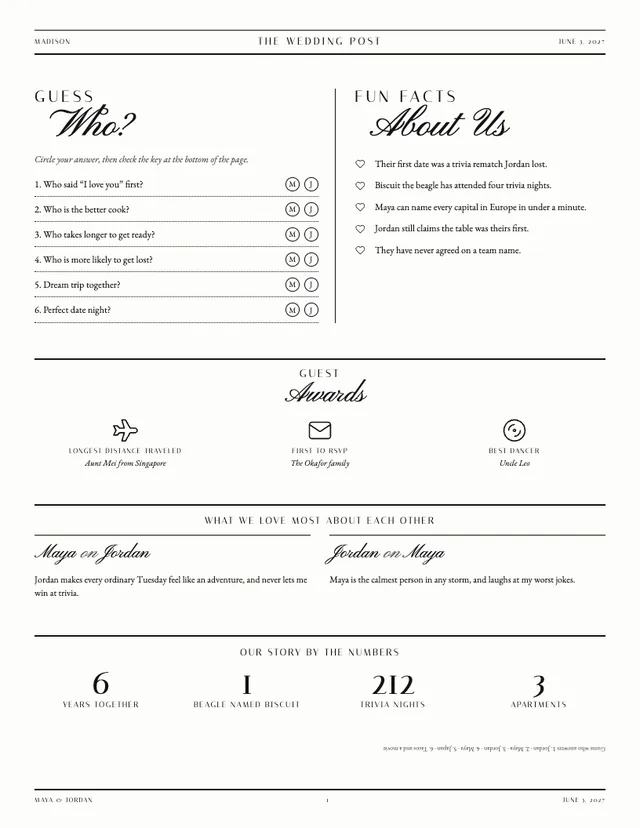
The busiest page in the paper, in a good way. "Guess Who?" asks six questions (who said "I love you" first, who takes longer to get ready) with the couple's initials to circle, and the answer key printed upside down at the bottom. Next to it, five fun facts. Then "Guest Awards" for real guests: longest distance traveled, first to RSVP, best dancer. A two-column "What we love most about each other" gives each of them a sentence, and "Our story by the numbers" closes the page: 6 years together, 1 beagle, 212 trivia nights, 3 apartments.
Why it works: it gives tables something to argue about between ceremony and dinner, and because the awards name actual guests, people go looking for their own name.
Guest Guide
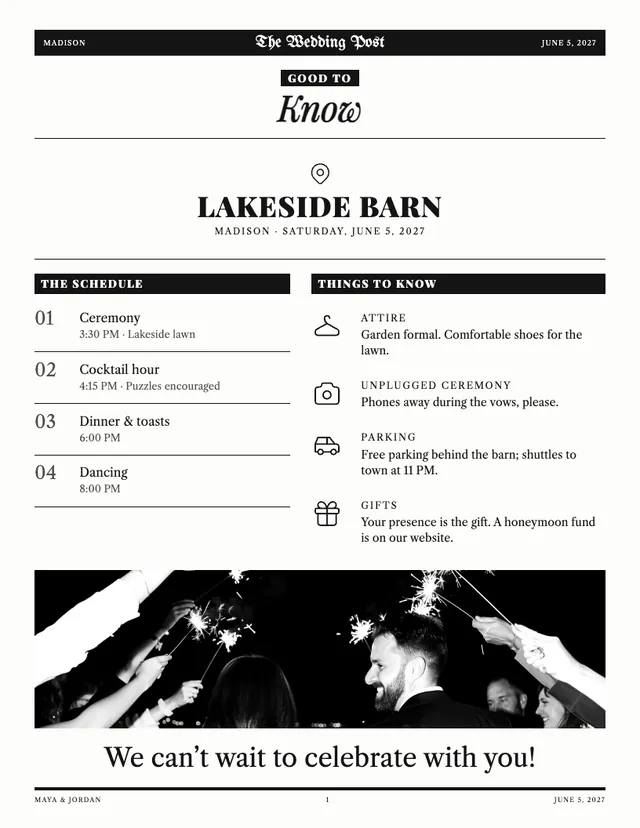
Under a "Good to Know" heading, the venue name runs large with the town and date. "The Schedule" numbers each part of the day from 01 to 04. "Things to Know" covers attire (garden formal, with comfortable shoes for the lawn), an unplugged ceremony, parking and the late shuttle back to town, and gifts. A sparkler photo and a big "We can't wait to celebrate with you!" finish the page. The Guest Guide can also carry travel tips and explain any traditions guests may not know.
Why it works: these are the questions that otherwise arrive as texts on the morning of the wedding. Out-of-town guests in particular will keep this page in a pocket all day.
Puzzles
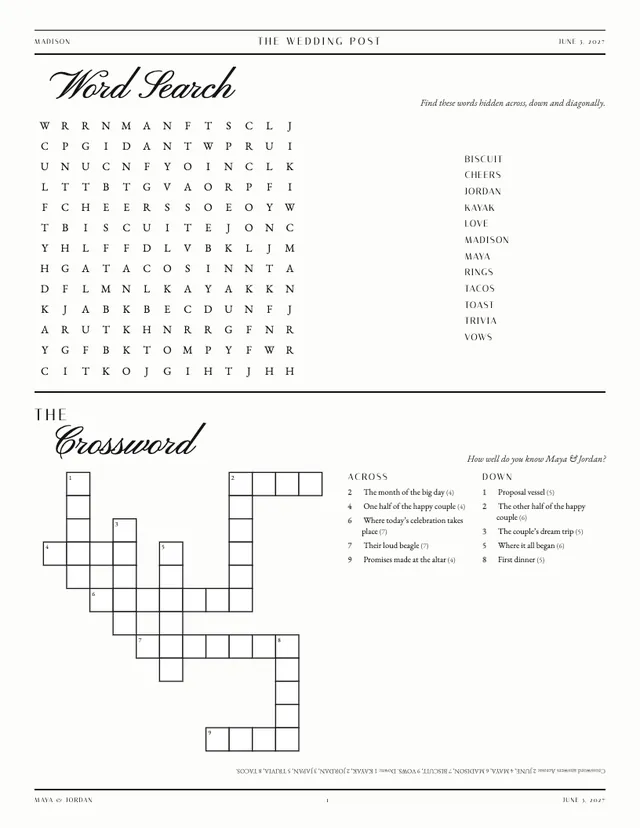
The top half is a 13 × 13 word search with twelve words pulled from the couple's life: their names, their town, Biscuit the beagle, kayak, tacos, trivia, vows. The bottom half is a crossword called "How well do you know Maya & Jordan?" with ten clues such as "Proposal vessel" and "Where it all began". Answers for both are printed upside down along the foot of the page, so nobody has to find the bride to settle an argument.
Why it works: the sample schedule literally says "puzzles encouraged" for cocktail hour. A crossword about the couple turns waiting into a game, and guests who knew one of you for years can show off. Our wedding crossword guide explains how the clues are made: answers of 3 to 13 letters, up to 12 clues.
Photo Moments, Share the Moment and the back cover
Photo Moments
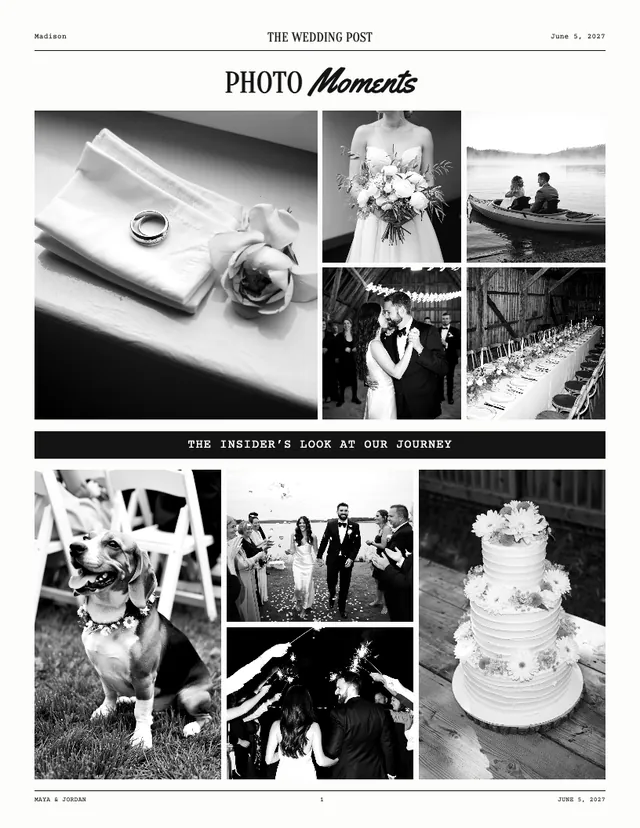
Nine photos in a grid, split by a band that reads "The insider's look at our journey": rings on a folded napkin, the bouquet, a kayak at dawn, the first dance, long tables in the barn, the beagle in a flower collar, the walk back down the aisle, a sparkler exit and the cake. On the day, fill it with engagement and everyday photos; in a thank-you edition, use the professional shots. Upload originals: the editor shows the pixel size each spot needs, and screenshots or photos saved from messaging apps are usually too small.
Share the Moment
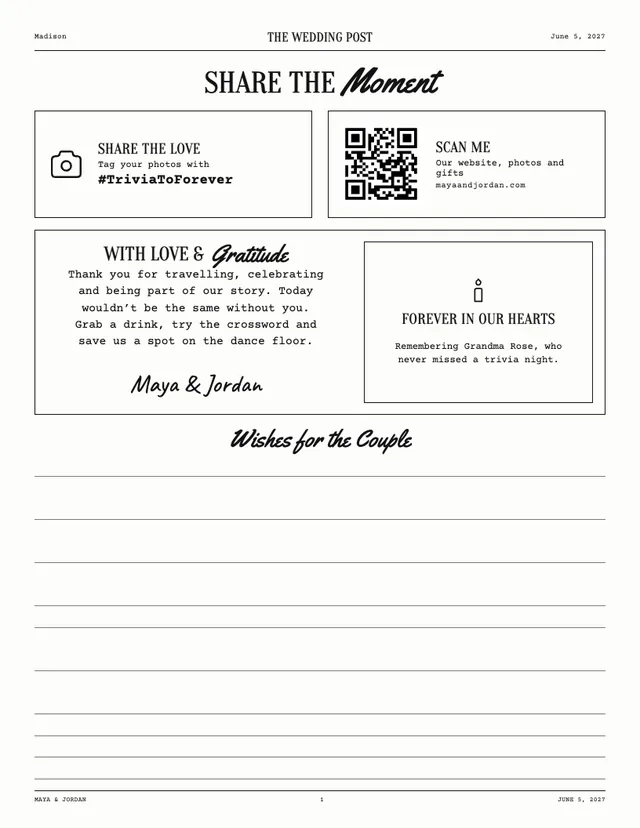
A boxed hashtag (#TriviaToForever) sits next to a QR code that links to the couple's website for photos and gifts. Below, a thank-you note signed in script, and a small "Forever in our hearts" box remembering a grandmother "who never missed a trivia night". The lower half is lined space titled "Wishes for the Couple".
Why it works: the QR code saves guests typing a web address, and the memorial gives a lost family member a place on the day without anyone having to make a speech.
Back cover
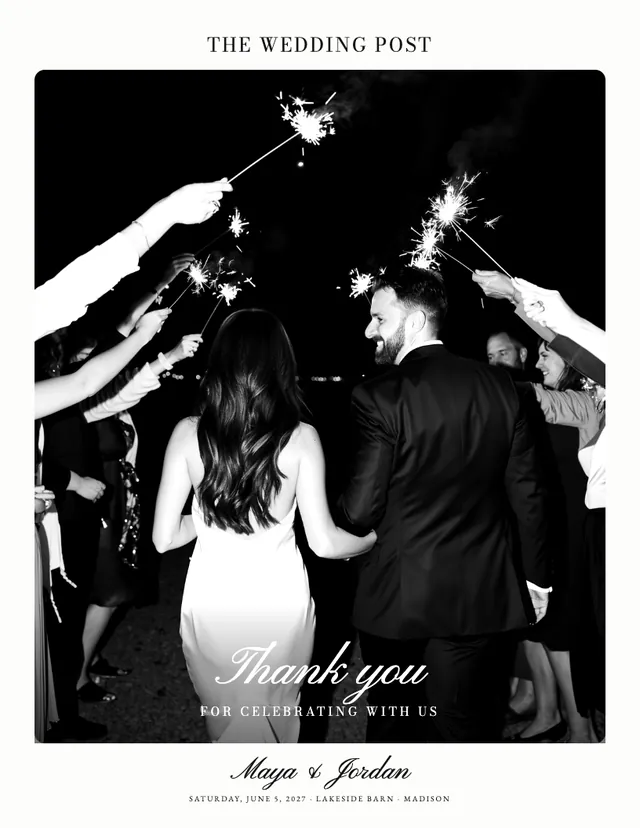
One large photo of a sparkler exit, "Thank you for celebrating with us" in script over it, and the couple's names, date and venue underneath. Half the papers on a table end up face down, so the back cover deserves a good photo too.
Editions for other occasions
The same designs work before and after the wedding. Each occasion changes the headline and the writing to suit the news.
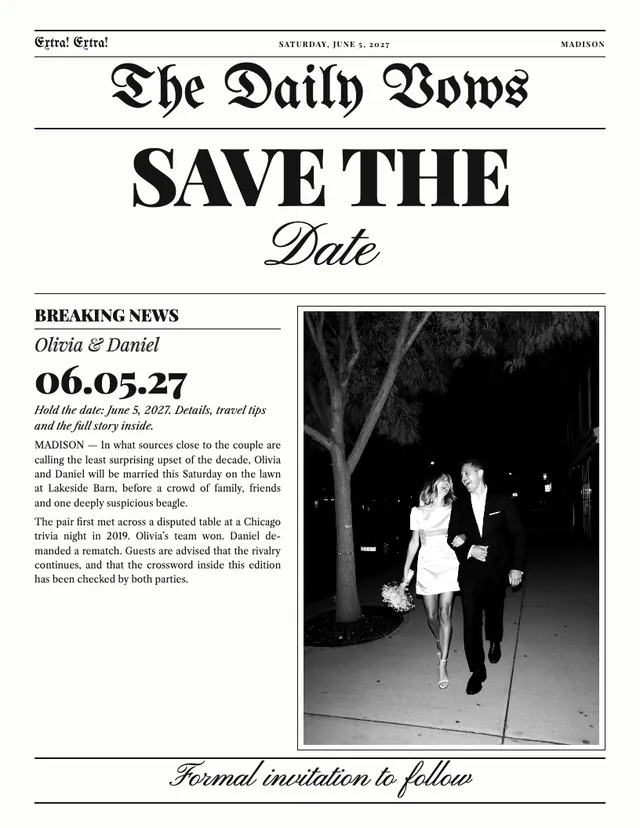
Save-the-date. "SAVE THE Date" in giant type, the date in big numerals in the breaking-news column, a line promising "details, travel tips and the full story inside", and "Formal invitation to follow" along the foot. It does the one thing a save-the-date must do: make the date impossible to miss.
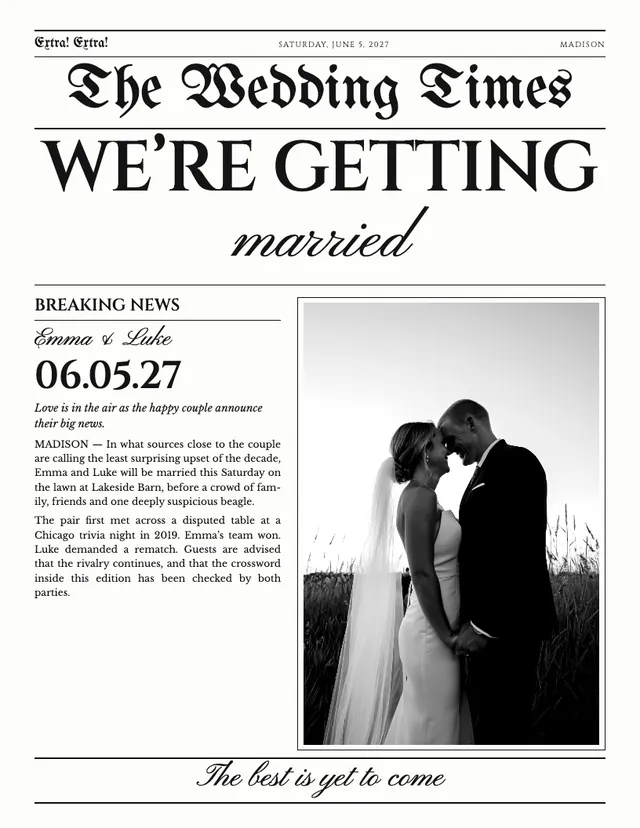
Engagement. "WE'RE GETTING married", with "Love is in the air as the happy couple announce their big news" in the breaking-news column and "The best is yet to come" at the bottom. Good for an engagement party or for posting to family who are not online.
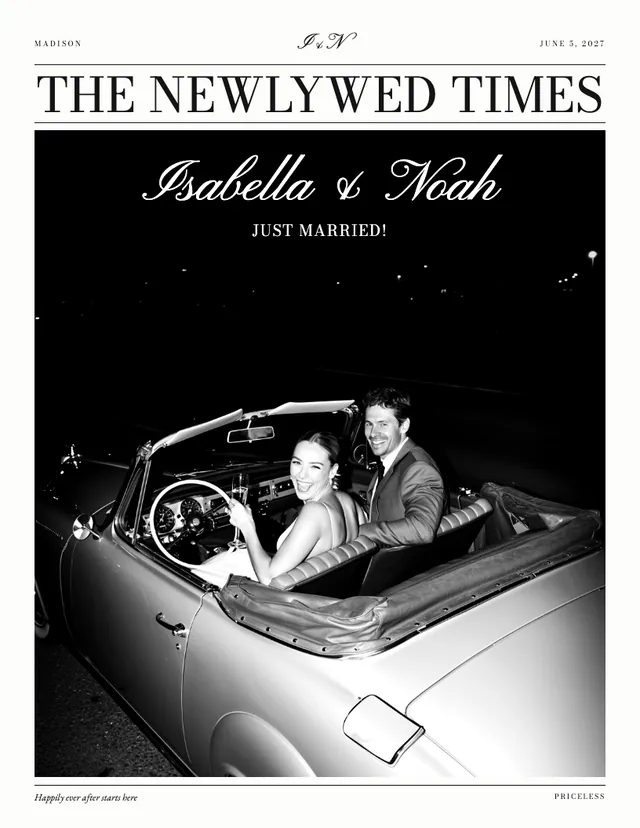
Just married. A getaway photo in a convertible, "Just married!" under the names and "Happily ever after starts here" at the foot. It works as a wedding announcement or a thank-you to send after the day.
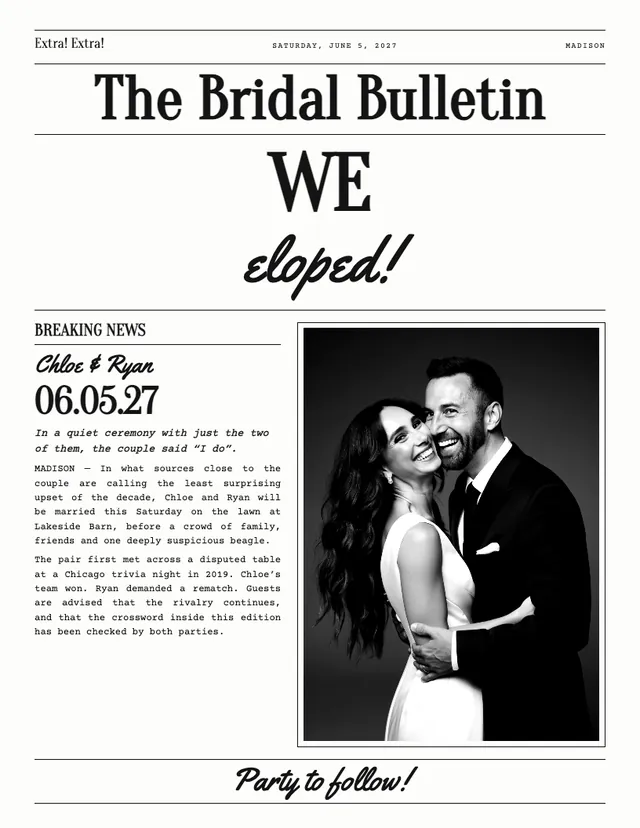
Elopement. "WE eloped!", a column that begins "In a quiet ceremony with just the two of them", and "Party to follow!" at the bottom.
The Keepsake plan adds a save-the-date edition and a thank-you edition to your wedding newspaper.
What it looks like printed
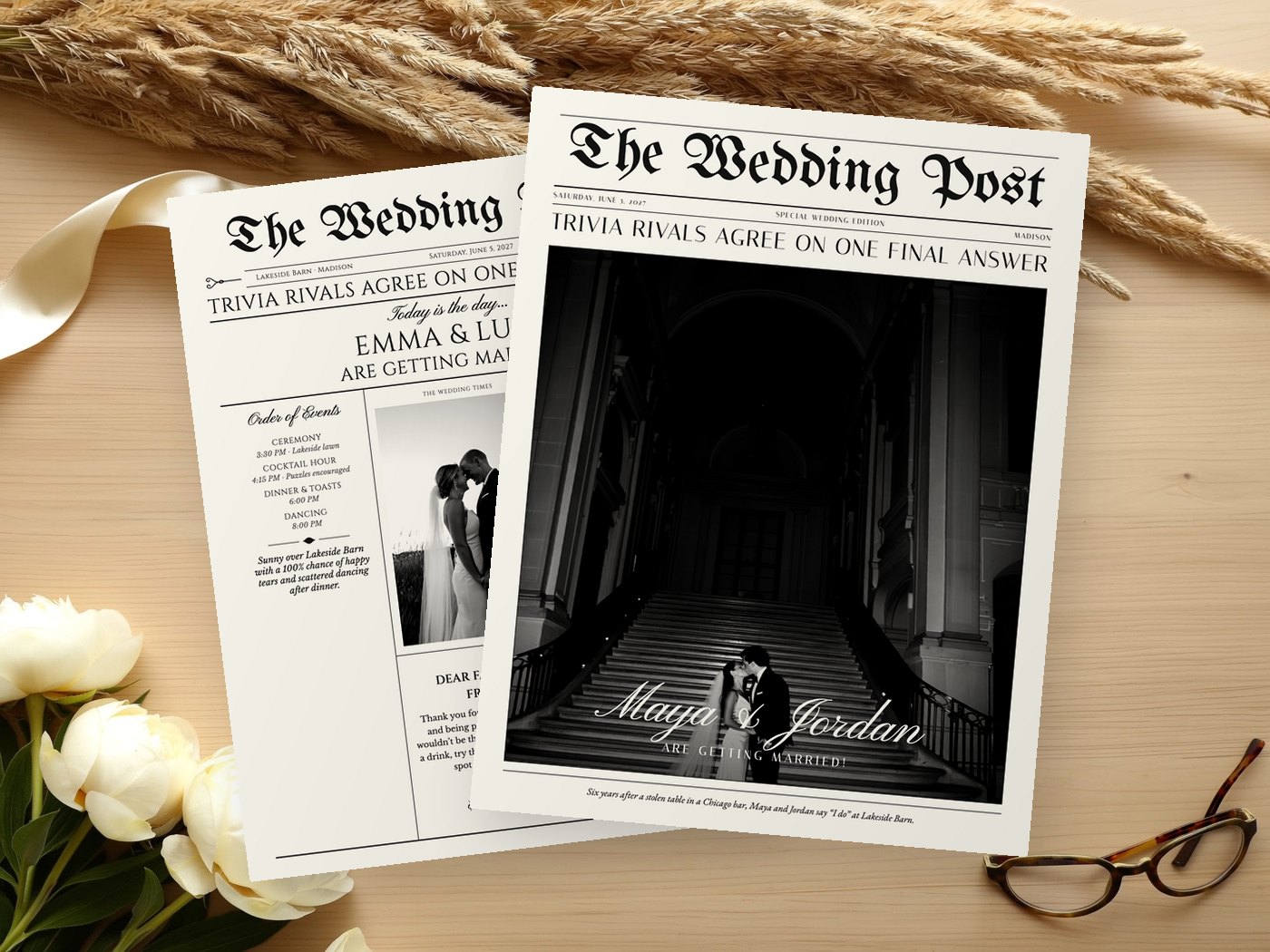
On paper, the fine rules and blackletter mastheads read as a real newspaper from across a table. Warm ivory paper softens the black ink and suits the classic designs.
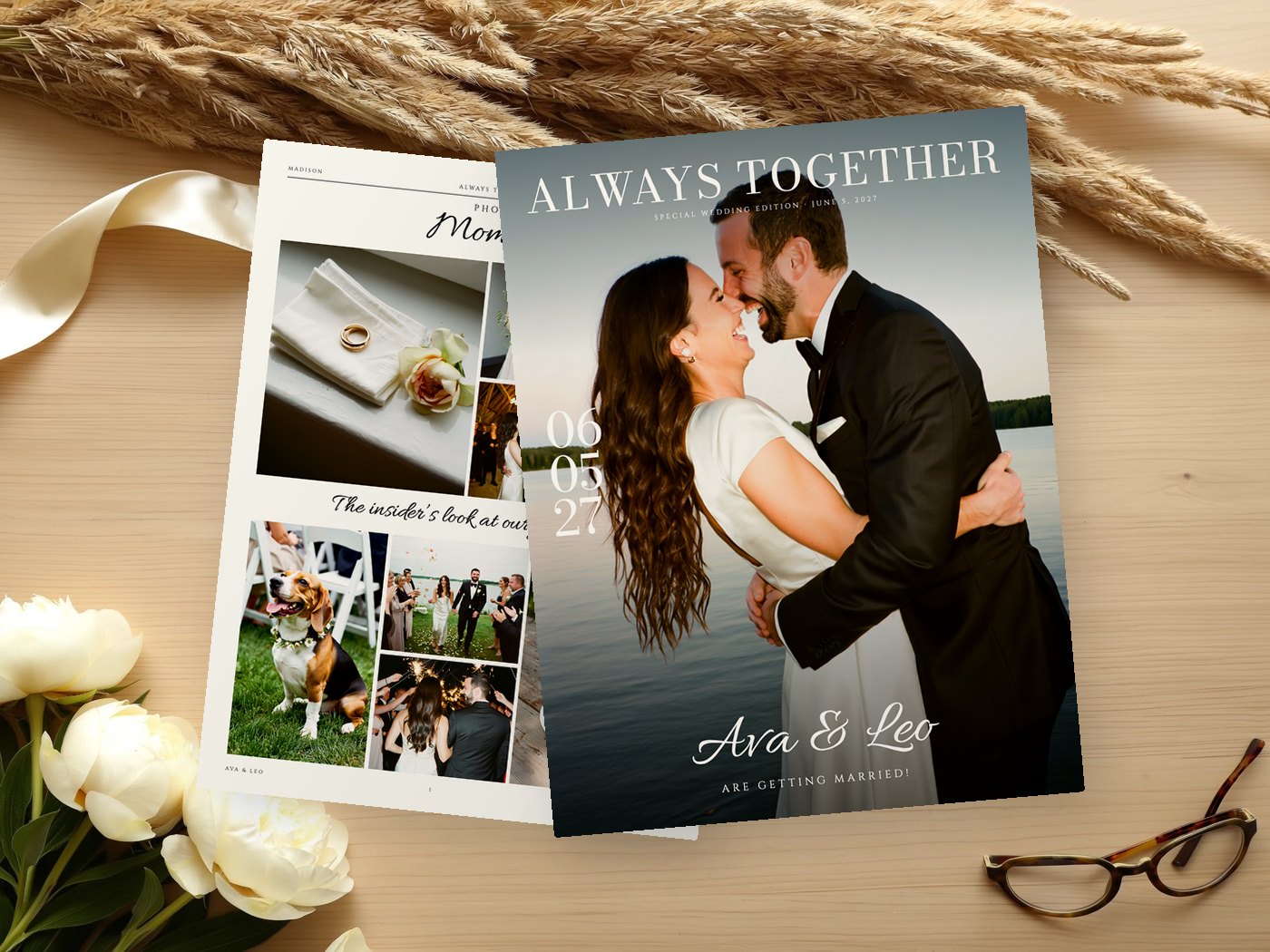
The Wedding Magazine is the one to print in color, and it looks its best on satin or gloss paper.
VowPress doesn't print or ship. You print at home on Letter or A4, at a copy shop on 11 × 17 in Tabloid, as a folded booklet, or on real newsprint with Newspaper Club's 289 × 380 mm tabloid. Our guide on how to print a wedding newspaper covers each route.
See every design, then make your own
The examples above mostly use The Wedding Post, but every design has every page. Each one is shown in full on its own page: The Wedding Times, The Wedding Post, The Bridal Bulletin, Extra! Extra!, The Newlywed Times, The Vintage Gazette, The Wedding Wire, The Love Letter and The Wedding Magazine. The templates overview compares them side by side.
To get pages like these with your own story, answer the questions in the chat on the homepage: about ten minutes, rough notes welcome. VowPress writes each page from your answers, using only the facts you gave, and you click any words to change them. The preview is free with a watermark; you pay once ($24 for the Newspaper plan) to download the print files.
Questions couples ask
What should a wedding newspaper include?
A front page with your names, date and photo, then the pages guests use: the schedule and wedding party, your story, and something to do, like a crossword. Four to eight pages covers it.
How long should the love story be?
In these examples it is three short paragraphs, plus a timeline and a short proposal story. That fills a page without asking guests to read an essay.
Do I need all the pages shown here?
No. A new VowPress newspaper starts with four pages and you add only the ones you want, up to eight. For a tabloid print, keep to four or eight pages.
Can I see these pages in a different design?
Yes. Every design has every page, and each design has its own page showing it in full. You can also switch design at any time and your text follows.
Are the couples in these examples real?
No, they are fictional samples. Your newspaper uses only the names, facts and photos you provide.